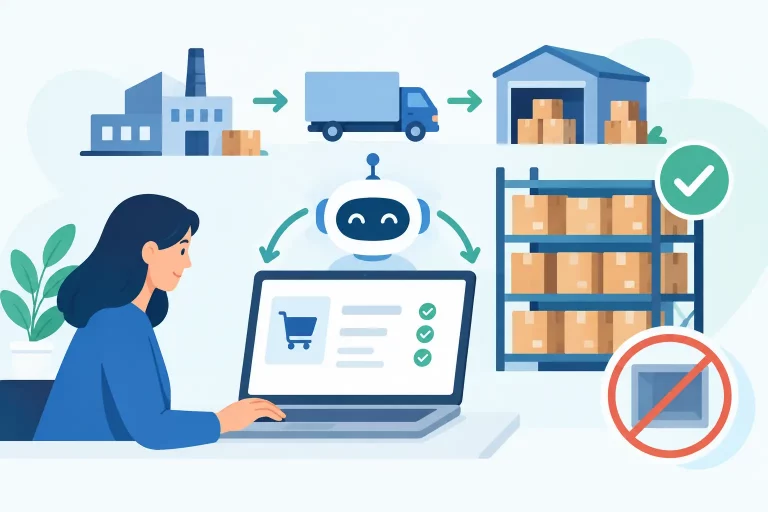
A two-pound order should not require a warehouse associate to decide which box, carrier, service, and warehouse to use. Yet that is exactly where many multichannel sellers lose time and margin. Learning how to automate shipping rules turns those repeated decisions into controlled workflows that apply consistently, even when order volume spikes.

Shipping automation is not simply about printing labels faster. It is about routing every order according to the business logic that protects delivery promises, controls shipping costs, and keeps fulfillment teams moving. The right rules reduce manual exceptions without forcing every order into the same service level.
What shipping rules should automate
Shipping rules are conditions that tell your order management or shipping system what to do when an order meets specific criteria. The system evaluates the order data, then automatically assigns the correct carrier, service, package type, shipping method, fulfillment location, or handling instruction.
For a growing retailer, those decisions can vary by sales channel, destination, item type, order value, promised delivery date, and warehouse inventory. Without rules, staff must evaluate those variables order by order. That creates inconsistent carrier selection, delayed handoffs, and avoidable mistakes during the busiest part of the day.
The most useful shipping rules are built around decisions your team makes repeatedly. Common examples include:
- Route lightweight domestic parcels to an economical ground or postal service.
- Upgrade orders that meet a marketplace delivery promise or customer-paid express selection.
- Assign hazardous, oversized, fragile, or temperature-sensitive products to approved services only.
- Ship orders from the warehouse with available stock that is closest to the destination.
- Apply signature confirmation, insurance, or special packaging when order value exceeds a set threshold.
The goal is not to create a rule for every possible exception. It is to automate the high-volume, predictable decisions so your team can focus on the orders that genuinely need judgment.
How to automate shipping rules step by step
Start with your current fulfillment decisions
Before configuring automation, document what happens between order import and label creation. Identify who chooses the carrier, how they make that choice, and where they need to look for information. If a team member checks package weight, destination zone, marketplace service level, and stock location before every shipment, those are candidates for rule-based logic.
Separate standard decisions from true exceptions. A standard decision is repeatable and based on data already in the order. An exception requires review because data is missing, the product has unusual handling needs, or the order falls outside your normal service commitments.
This distinction matters. Automating poorly defined decisions only moves errors faster. First, make sure each rule reflects a policy your operations team is ready to enforce.
Clean up the data your rules depend on
Shipping automation is only as accurate as the order, product, and inventory data feeding it. Product weights and dimensions must be current. Shipping methods from Shopify, Amazon, Walmart, eBay, and other channels need consistent names or clear mappings. Warehouse inventory should update in real time if routing decisions depend on available stock.
Review the fields that drive your most common shipping decisions: SKU, product category, weight, dimensions, destination, order value, customer shipping method, marketplace requirements, and warehouse location. If a field is often blank or unreliable, do not make it a hard requirement in an automated rule until the underlying process is corrected.
For example, a rule that selects a low-cost carrier for packages under one pound will fail if product weights are missing or if the system does not account for packaging weight. Build in realistic package assumptions and test with actual shipped orders, not only catalog data.
Create rules in order of business priority
Rules should be evaluated in a deliberate sequence. A safety or compliance restriction must take priority over a cost-saving rule. A customer-paid overnight service should take priority over a default ground option. Marketplace delivery commitments may need priority over both.
A practical hierarchy usually starts with restrictions and service commitments, then applies fulfillment routing, then selects the most economical approved carrier service. For instance, an oversized SKU may first be limited to eligible services. Next, the order may be routed to the warehouse that has stock. Only then should the system select the lowest-cost service that can meet the required delivery date.
Avoid overlapping rules that produce conflicting results. If two rules can apply to the same order, define which one wins and document why. A clear priority order prevents the warehouse from receiving labels that look correct in the system but violate an operational requirement.
Use conditions that match real order patterns
The best rules are specific enough to be useful but broad enough to handle volume. Rather than making separate rules for every state, group destinations by shipping zone, region, or delivery timeframe where that supports your carrier strategy.


Consider an apparel retailer shipping from two warehouses. Orders going to the Northeast could route to the closest warehouse when inventory is available. Orders containing a single lightweight item may use a low-cost service. Multi-item orders that cross a dimensional-weight threshold can move to a ground service with better rate economics. High-value orders can automatically receive added protection.
This approach controls costs without requiring your team to memorize carrier tables. It also prevents a common problem in multichannel operations: the shipping service selected at checkout does not always translate cleanly into the carrier service that should be used in fulfillment.
Build rules around service levels, not just carriers
Carrier selection alone is rarely enough. Customers care about delivery outcomes, while marketplaces care about promised handling and transit times. Your rules should therefore start with the service requirement and then select an approved carrier option that can meet it.
A standard shipping method might allow several eligible ground services. An expedited method might allow only services that consistently meet the required transit window. If the order is shipping to a remote address, a PO box, or a region with limited service coverage, the eligible options may change again.
This is where rate shopping can be valuable, but only within operational guardrails. Selecting the cheapest service on every order may reduce label costs while increasing late deliveries, claims, or customer contacts. Set rules that compare approved options after delivery expectations, package constraints, and channel requirements have been met.
Test shipping automation before applying it to every order
Do not activate a new rule across all sales channels without testing it against real order scenarios. Create a test set that includes lightweight parcels, multi-item orders, oversized items, expedited orders, high-value orders, remote destinations, split shipments, and orders with limited inventory.
Review the selected warehouse, package, carrier service, shipping cost, and expected delivery outcome for each scenario. Ask your fulfillment leads whether the result is practical on the packing floor. A rule can be technically valid but still create friction if it assigns packaging that is unavailable or directs work to a warehouse that is already at capacity.
Run new automation in a monitored state at first. Compare the system’s recommendation with the choice an experienced team member would make. When the results consistently match your policy, expand the rule to more order types or channels.
Measure whether your rules are improving fulfillment
Shipping automation should produce measurable operational gains. Track how many orders flow from import to label creation without manual edits, how often staff override a rule, and which override reasons appear most often. A high override rate usually points to missing data, poorly ordered conditions, or a business policy that has changed.
Also monitor carrier cost per shipment, on-time delivery performance, late shipment rate, voided labels, claims, and fulfillment time per order. Cost reduction is useful, but it should not come at the expense of delivery reliability or marketplace account health.
As your business adds channels, warehouses, or product categories, revisit your rules. What worked for one warehouse and two carriers may not work when inventory is distributed across regions or wholesale orders enter the same operation. Automation needs ongoing operational ownership, not a one-time setup.
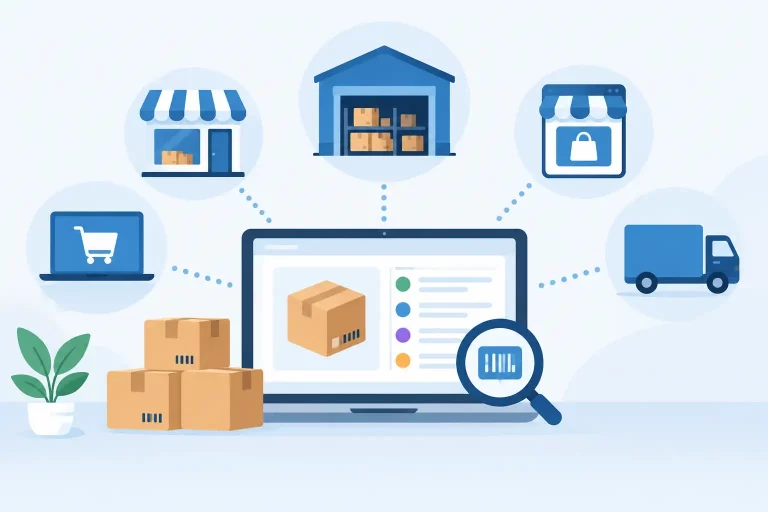
Use one system to control multichannel shipping logic
Fragmented shipping workflows make automation harder. When orders, inventory, warehouse data, and carrier tools live in separate systems, rules may be built on incomplete information. The result is manual checking, duplicate work, and decisions that vary by channel.
A centralized commerce operations platform gives shipping rules the data they need: current inventory by location, product attributes, channel-specific order details, warehouse workflows, and carrier service options. With eSwap, merchants can manage those connected workflows from one operational environment, helping teams apply consistent fulfillment logic as order volume and channel complexity increase.
Start with the rules that eliminate the most repetitive decisions, validate the outcomes on the warehouse floor, and refine them as your delivery and cost requirements change. The strongest shipping automation is not the most complicated setup. It is the one your team can trust on every order.