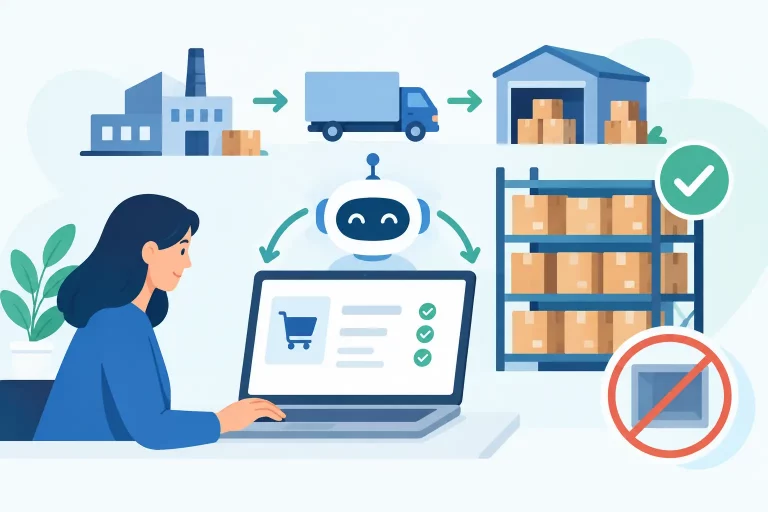
A fast-selling SKU should trigger a purchasing decision before it becomes an out-of-stock apology. That is the practical goal of learning how to automate ecommerce purchasing: turn inventory movement, demand signals, and supplier rules into timely purchase orders without asking your team to rebuild spreadsheets every morning.

For multichannel sellers, purchasing automation is not simply about sending POs faster. It is about protecting availability across Shopify, Amazon, eBay, Walmart, wholesale accounts, and every warehouse that draws from the same inventory. When purchase decisions rely on delayed reports or disconnected systems, the result is predictable: stockouts on profitable products, excess inventory on slow movers, and cash tied up in the wrong places.
What Ecommerce Purchasing Automation Actually Does
Ecommerce purchasing automation uses defined rules and live operational data to recommend, create, route, and track replenishment orders. The system evaluates what is on hand, what is committed to open orders, what is already inbound, how quickly products are selling, and how long suppliers take to deliver.
The best workflows do not remove judgment from purchasing. They remove repetitive work and surface exceptions that require a buyer’s attention. A planner can still account for a planned promotion, a supplier price increase, a new product launch, or a seasonal demand spike. The automation handles the routine math and makes the decision trail visible.
A mature purchasing workflow typically connects inventory availability, sales velocity, supplier records, purchase orders, receiving, and accounting. If those functions sit in separate systems, the automation will only be as reliable as the manual data transfers between them.
Start With Inventory Data You Can Trust
Automation cannot compensate for inaccurate inventory. Before setting reorder rules, make sure your available quantity reflects physical stock, allocated stock, inventory in transit, damaged goods, returns, and any safety stock you need to reserve.
This becomes more complex when the same product sells through multiple channels. A unit sold on a marketplace must reduce the stock available to your direct-to-consumer site quickly enough to prevent overselling. Likewise, an inbound purchase order should be visible to planners before the goods are received, but it should not be counted as sellable inventory until your operating rules allow it.
Standardize your catalog first. Each purchasable item needs a consistent SKU, supplier association, cost, lead time, minimum order quantity, and purchase unit. If a supplier sells a case of 24 while you sell individual units, your system needs a clear conversion rule. Without it, automated recommendations can produce impractical order quantities.
Build Reorder Rules Around Demand and Lead Time
The central rule in ecommerce purchasing automation is the reorder point: the inventory level at which you should replenish a product. A basic calculation is:
Reorder point = expected demand during lead time + safety stock
Expected demand during lead time is based on sales velocity and supplier lead time. If a product sells 10 units per day and the supplier normally delivers in 14 days, you need at least 140 units to cover that period. Safety stock adds a buffer for demand variation, carrier delays, receiving delays, or supplier inconsistency.
The right buffer depends on the product. A high-margin, fast-moving item with unreliable lead times may justify a larger reserve. A bulky, slow-moving item with high storage costs may need a leaner policy. Do not apply one blanket safety-stock percentage to every SKU. Classify products by velocity, margin, value, seasonality, and supply risk.
Reorder quantities need similar discipline. Ordering enough to reach a target stock level is often more useful than placing a fixed quantity every time. Your target should consider the demand you expect to cover, supplier minimums, case-pack requirements, warehouse capacity, and cash available for inventory.
Automate the Purchase Order Workflow, Not Just the Alert
A low-stock alert is useful, but it still leaves the buyer to research the supplier, verify costs, check open POs, calculate the order quantity, and prepare the document. That is not full purchasing automation.
A stronger workflow creates a purchase recommendation from current inventory and demand data, groups eligible items by supplier, and generates a draft PO using the right purchase unit, cost, and delivery location. The buyer reviews exceptions, adjusts quantities where necessary, and submits the order through the required approval path.
Approval rules should match the level of risk. Routine replenishment below a defined spend limit may only require one buyer’s review. Orders above budget, purchases from a new supplier, or items with unusual demand may require finance or operations approval. This keeps control in the process without forcing every small reorder through a slow manual chain.
Once approved, the PO should become the operational record for expected inventory. It should show what was ordered, when it is due, where it will be received, what has arrived, and what remains outstanding. That visibility matters when customer demand changes before a supplier shipment reaches the warehouse.


Connect Purchasing to Every Sales and Fulfillment Channel
A purchase decision made from one channel’s sales report can be wrong before the report is exported. Multichannel businesses need purchasing data that reflects total demand, not a partial view of sales.
Your purchasing workflow should pull inventory movement from every connected storefront and marketplace, while accounting for fulfillment across warehouses, third-party logistics providers, and dropship suppliers. A centralized operations platform such as eSwap can bring orders, inventory, suppliers, warehouses, and purchase orders into one operating view, so replenishment decisions are based on current activity rather than disconnected channel reports.
Supplier routing also matters. Some products may be available from more than one vendor, while others must be purchased from a specific distributor. Set supplier preferences, negotiated costs, lead times, and order constraints in the system. When a preferred supplier cannot meet the requirement, the workflow should flag the exception instead of automatically choosing the cheapest line-item cost and ignoring freight, reliability, or delivery timing.
Use Demand Forecasting Carefully
Historical sales are a valuable starting point, but they are not a forecast by themselves. Averages can hide promotions, marketplace ranking changes, stockout periods, one-time wholesale orders, and seasonal swings.
Use automation to identify the baseline demand pattern, then allow planners to apply informed overrides. If a product was out of stock for two weeks, its recent sales may understate real demand. If you are running a promotion next month, historical velocity may understate what you need. Conversely, a single large B2B order should not automatically drive consumer replenishment quantities.
Set a regular cadence for reviewing forecast assumptions. Fast-moving products may need daily monitoring, while stable long-tail SKUs can be reviewed weekly or monthly. The value of automation is not that every SKU receives identical attention. It is that your team spends attention where variance, risk, or revenue makes it worthwhile.
Measure Whether Automation Is Improving Purchasing
Track results after implementation. The most useful measures connect purchasing activity to commercial and operational outcomes: stockout rate, fill rate, inventory turnover, excess and aging inventory, purchase-order cycle time, supplier on-time delivery, forecast error, and emergency freight spend.
Watch cash flow as closely as stock availability. An automated system that prevents stockouts by overbuying can create a different problem. Your target is not the highest possible inventory level. It is reliable product availability at a cost and inventory position the business can support.
Also review exceptions. If buyers regularly override the same reorder recommendations, that is a signal to adjust lead times, safety stock, supplier rules, demand inputs, or catalog data. Automation improves through feedback, not by treating its first set of rules as permanent.
Common Mistakes to Avoid
The most common mistake is automating from incomplete inventory data. Another is assuming supplier lead times never change. Many businesses also overlook inbound inventory, open customer allocations, case packs, and supplier minimums, then wonder why their recommended POs do not match how purchasing actually works.
Avoid launching every SKU into automated ordering on day one. Start with stable, high-volume items and suppliers with dependable terms. Validate the recommendations against your buyers’ decisions, refine the rules, then expand coverage to more complex categories. This reduces risk while creating confidence in the process.
Finally, keep ownership clear. Automation can create recommendations and drafts, but someone should own supplier data, rule maintenance, approval thresholds, and exception handling. Purchasing becomes faster when responsibility is defined, not when it disappears.
The right purchasing system gives your team fewer low-stock surprises and more time to make decisions that actually require experience. Start with clean inventory, automate repeatable replenishment, and let exceptions lead the conversation.