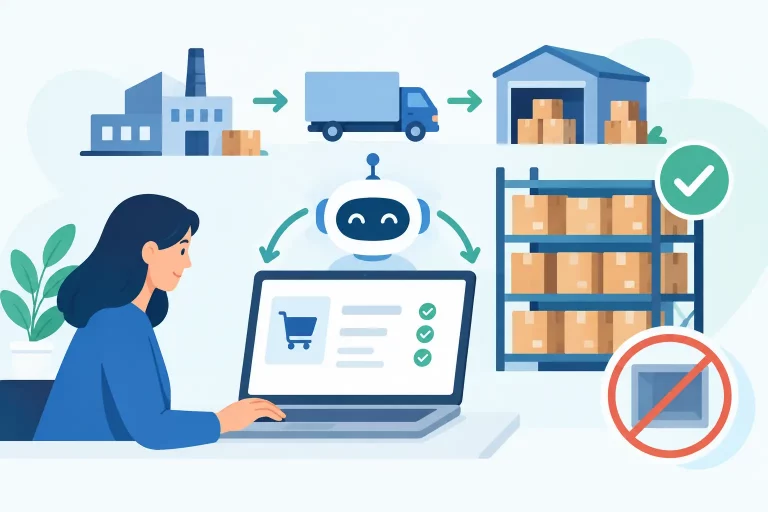
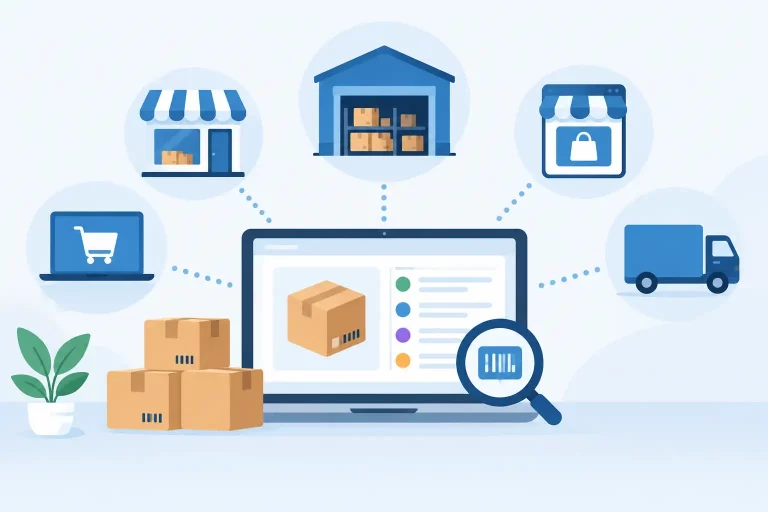
When the same SKU is sold on Shopify, Amazon, eBay, Walmart, and through wholesale, a spreadsheet is not an operating system. It cannot reliably reserve stock, route orders, update listings, produce shipping labels, or show what is actually available to sell. This guide to ecommerce operations software explains what a centralized platform should do, where it creates value, and how to evaluate whether it fits your business.

For growing merchants, the issue is rarely a lack of sales channels. The issue is what happens after an order arrives. Disconnected tools force teams to rekey data, check inventory in multiple places, chase shipping exceptions, and reconcile mistakes after customers have already been affected. Ecommerce operations software brings those workflows under control.
What Ecommerce Operations Software Does
Ecommerce operations software is the back-office system used to manage commerce activity across channels. It connects storefronts, marketplaces, warehouses, carriers, suppliers, and financial systems so operational data can move through one controlled workflow.
At a practical level, the platform receives orders from every connected channel, applies inventory rules, sends work to the warehouse, supports shipping, and updates order status back to the customer-facing channel. It should also give purchasing teams visibility into stock movement and give managers a current view of sales, fulfillment, and inventory performance.
This is different from a single-purpose shipping app or inventory plug-in. Those tools may solve one immediate problem, but a multichannel business needs the processes around that task to stay connected. A shipment affects inventory. Inventory affects listings. Listings affect demand planning. Purchase orders affect future availability. Operations software is designed to manage those dependencies rather than leave them in separate systems.
The Operational Problems It Should Solve
The strongest reason to adopt ecommerce operations software is not simply to add automation. It is to remove the manual handoffs that create inaccurate stock, slow fulfillment, and inconsistent customer experiences.
Inventory accuracy across every channel
Overselling usually begins with delayed or incomplete inventory updates. If a marketplace sale does not reduce available stock everywhere else immediately, a merchant can sell the same unit twice. The result is cancellation risk, marketplace performance issues, and frustrated customers.
A centralized system maintains a shared inventory record and pushes availability updates to connected sales channels. It should account for stock on hand, allocated inventory, incoming purchase orders, damaged goods, transfers, and inventory held at different warehouse locations. The goal is not just a larger inventory number on a dashboard. The goal is a number your team can trust when deciding what to sell, replenish, and reserve.
Faster, more consistent fulfillment
Order volume exposes weak warehouse processes quickly. A team may be able to process 30 daily orders from an inbox. Processing 300 orders across multiple channels requires rules, picking discipline, and clear exception handling.
Good operations software centralizes incoming orders and gives teams a consistent path from order receipt to shipment. This can include order routing, pick and pack workflows, label generation, carrier selection, shipment tracking, and status updates. Automation can also apply rules based on order value, destination, service level, warehouse, product type, or sales channel.
The trade-off is that automation must reflect real warehouse processes. Routing every order to the lowest-cost carrier may reduce postage but increase delivery time or create packing constraints. Configure rules around service commitments and operational capacity, not only cost.
A controlled catalog and listing process
Multichannel selling becomes difficult when product information is maintained separately in every marketplace. Titles, variants, images, pricing, attributes, and identifiers drift out of sync. Teams then spend time correcting listings rather than managing product performance.
A central catalog gives operators a place to organize product data and connect it to channel-specific listings. It does not mean every channel must display identical content. Marketplaces have different attribute requirements and shoppers respond to different formats. It means the core product record, SKU structure, inventory relationship, and commercial rules are controlled from one source.
Smarter purchasing and replenishment
Stockouts lose revenue. Excess inventory consumes cash and warehouse space. Purchasing decisions made from stale sales reports or rough estimates create both problems at once.
Operations software should connect sales velocity, available inventory, supplier information, and purchase orders. This gives purchasing teams a clearer basis for replenishment decisions and makes incoming inventory visible before it reaches the warehouse. For wholesalers and brands managing long lead times, this visibility is particularly valuable. A product can look adequately stocked until allocated orders and seasonal demand are considered.
Better control of B2B and wholesale activity
Wholesale operations often run beside direct-to-consumer sales but use different pricing, payment terms, order minimums, and fulfillment requirements. Treating wholesale orders as manual exceptions creates delays and increases the chance of shipping the wrong items or applying the wrong commercial terms.
The right platform supports B2B workflows within the same operational environment as retail. That allows inventory to be managed against one shared supply position while wholesale orders, customer-specific prices, and purchasing activity remain visible to the teams responsible for them.
How to Evaluate Ecommerce Operations Software
The right system depends on the complexity of your operation, not on the number of features shown in a product demo. Start by mapping how an order, SKU, and purchase order move through your business today. Pay close attention to where staff copy information between systems, where decisions rely on tribal knowledge, and where errors are discovered too late.


Then evaluate software against the workflows that affect revenue, cost, and customer experience most directly.
Confirm the integrations you actually need
A long integrations list is useful only if it includes your real operating stack. Verify connections for your storefronts, marketplaces, shipping carriers, accounting tools, payment systems, and warehouse technology. Ask how inventory updates are handled, how frequently orders sync, and what happens when a channel connection fails.
Also consider the next 12 to 24 months. A business planning to add a marketplace, open a second warehouse, or build a wholesale channel should avoid choosing a system that only supports its current setup. Replacing core operations software after a year is expensive because it requires process changes, data cleanup, and staff retraining.
Test warehouse workflows, not just dashboards
A clean dashboard can create a strong first impression, but warehouse execution determines whether the system produces real operational gains. Walk through receiving inventory, moving stock between locations, picking an order, handling a partial shipment, processing a return, and correcting a mispick.
Look for tools that match the level of control you need. A small team shipping from one location may prioritize fast label creation and simple pick lists. A larger operation may need bin-level inventory, barcode scanning, multi-warehouse allocation, user permissions, and documented exception workflows. More control is valuable only when the team has processes to use it consistently.
Assess automation with exceptions in mind
Rules can save substantial time, especially for order routing, shipping service selection, stock allocation, and order tagging. But every merchant has exceptions: backorders, address issues, restricted items, bundled products, damaged inventory, or customers requesting changes after purchase.
Ask whether the system makes exceptions visible and manageable. Automation should reduce routine work without making unusual orders harder to resolve. The best setup gives your team clear defaults and a practical way to intervene when needed.
Make reporting operationally useful
Reports should help teams make decisions during the workday, not just explain what happened last month. Useful views include available and allocated inventory, unfulfilled orders, orders approaching service-level deadlines, sales by channel, product velocity, purchase order status, and warehouse output.
Accuracy matters more than report volume. If inventory, order, and purchasing data are held in different tools, every report becomes a reconciliation exercise. Centralized reporting is valuable because it works from the same operational records your team uses to fulfill and replenish.
Plan the Implementation Around Data and Process
Implementation succeeds when it is treated as an operations project, not just a software login. Before connecting every channel, clean up duplicate SKUs, inconsistent product names, missing barcodes, and unclear warehouse locations. Define ownership for catalog changes, inventory adjustments, shipping rules, and purchase orders.
A phased rollout often lowers risk. Start with the channels and workflows creating the most manual work or costly errors. Validate inventory synchronization, order processing, and shipping in a controlled setting, then expand to additional channels, warehouses, or B2B workflows. This approach gives teams time to learn the system while protecting daily fulfillment.
Training should focus on real scenarios. A warehouse user needs to know how to pick, pack, and report an exception. An inventory planner needs to understand allocations, adjustments, and replenishment signals. An operations manager needs to see where work is stalled. Role-based training produces better adoption than a generic feature tour.
When a Centralized Platform Pays Off
Ecommerce operations software becomes especially valuable when channel growth starts adding administrative work faster than revenue. Warning signs include frequent oversells, inventory counts that differ by system, delayed order processing, staff spending hours on spreadsheet updates, and warehouse teams relying on memory to resolve exceptions.
For merchants selling through multiple marketplaces and storefronts, eSwap brings inventory, orders, shipping, warehouse workflows, catalogs, purchasing, and wholesale activity into one operating environment. The practical benefit is control: fewer disconnected steps, faster fulfillment decisions, and a more reliable view of what the business can sell and ship.
The best time to improve operations is before growth makes every process harder to change. Build the system around accurate inventory, repeatable fulfillment, and connected data now, so the next sales channel or warehouse adds capacity rather than chaos.