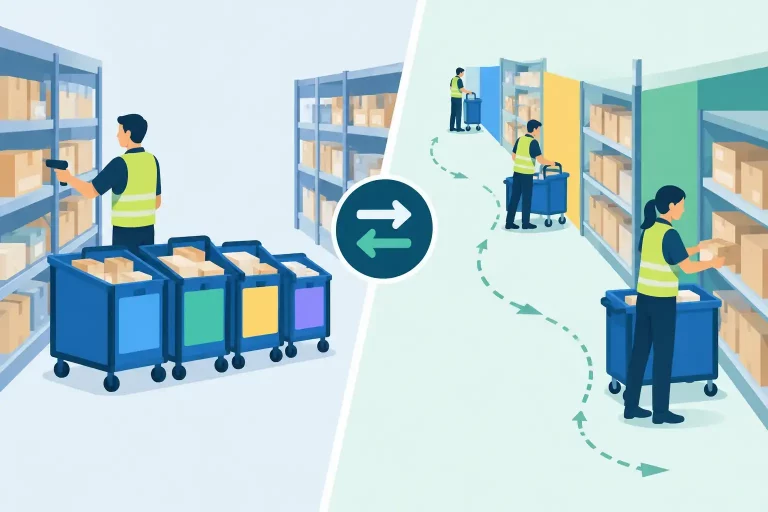
An order can look complete until the moment it reaches the warehouse. A payment fails, inventory is unavailable, an address cannot be validated, or a carrier service is no longer eligible. Without a clear guide to order exception handling, these issues turn into delayed shipments, manual inbox checks, and frustrated customers. With the right process, exceptions become controlled work queues rather than operational surprises.

For multichannel sellers, the challenge is not eliminating every exception. That is unrealistic when orders arrive from marketplaces, storefronts, wholesale customers, and multiple warehouses. The goal is to identify exceptions early, assign the right owner, resolve them quickly, and prevent repeat problems.
What Order Exceptions Mean in Daily Operations
An order exception is any condition that prevents an order from moving through its normal fulfillment path. The exception may occur before the order is released to the warehouse, during picking and packing, when buying shipping labels, or after the package leaves the facility.
Some exceptions are customer-facing. An invalid address or declined payment requires a response before fulfillment can continue. Others are operational, such as an item being out of stock in the assigned warehouse, a missing product weight, a restricted shipping method, or a split shipment that was not planned.
The operational risk increases when each sales channel, warehouse system, and carrier portal shows a different version of the order. Teams then spend time comparing records instead of resolving the issue. A centralized order workflow gives operators one place to see the exception, the order history, available inventory, shipping requirements, and the action needed to move forward.
Guide to Order Exception Handling: Build a Clear Workflow
Exception handling works best when it follows a defined sequence. The workflow should be simple enough for daily warehouse use but detailed enough to preserve accountability.
1. Detect exceptions before they become late orders
The earlier an exception is identified, the more options the team has. An address issue caught when an order imports can be corrected before picking begins. A stock shortage found after a picker reaches the bin may already have consumed labor and put the shipment at risk.
Set rules that flag orders automatically when key requirements are missing or inconsistent. Common triggers include payment holds, inventory below the required quantity, duplicate orders, incomplete addresses, unavailable ship methods, missing product dimensions, fraud-review status, and marketplace-specific service-level requirements.
Not every flag deserves the same urgency. A missing apartment number on a standard shipment is different from a same-day marketplace order that cannot be dispatched without an approved carrier service. Your system should make those differences visible.
2. Classify by cause, urgency, and owner
A single “problem order” status is not enough for a growing operation. It hides what needs to happen next. Classify exceptions by their root cause so the right person can act without unnecessary handoffs.
Inventory exceptions usually belong with inventory control or purchasing. Address, payment, and customer-request exceptions may go to customer service. Shipping restrictions belong with the fulfillment or transportation team. Catalog data issues, such as missing weights or incorrect bundle components, need an owner who can correct the product record at the source.
Urgency should reflect the order promise, not just the time the exception was created. Prioritize orders approaching marketplace ship-by deadlines, expedited orders, wholesale commitments, and orders holding multiple units that could affect stock availability for other channels.
3. Give every exception a defined resolution path
The best exception queues do not ask staff to invent a response every time. They present approved actions based on the type of problem.
For an inventory shortage, the available choices may be to reassign fulfillment to another warehouse, substitute an approved product, split the shipment, backorder the item, or cancel according to the channel policy. For an address issue, the path may be to validate the address, contact the customer, or place the order on hold until confirmation arrives.
These decisions involve trade-offs. Splitting an order can protect a delivery promise but increases shipping cost. Substitution may preserve revenue but requires clear customer and brand rules. Reassigning from another warehouse can save the order but may create a new inventory imbalance if stock synchronization is delayed. The correct action depends on margin, service-level agreements, customer expectations, and the reliability of the available data.
4. Record the decision, not only the final status
When an exception is resolved, capture the reason and action taken. “Order shipped” does not explain whether the order was rerouted, partially fulfilled, manually approved, or released after a customer response.
A documented exception history helps managers identify recurring failures. If the same SKUs repeatedly cause weight-related shipping errors, the problem is catalog data. If oversells happen on one marketplace, the issue may be delayed inventory updates, incorrect safety stock, or an unmanaged bundle relationship. Resolution notes turn individual fixes into operational intelligence.
The Exceptions That Cost Sellers the Most
A practical exception strategy starts with the issues that create the largest volume, cost, or customer impact. For most multichannel businesses, four areas deserve immediate attention:
- Inventory and oversell exceptions: Available stock does not match the order quantity, warehouse allocation, or channel listing. These issues can lead to cancellations and marketplace performance penalties.
- Address and shipping exceptions: Invalid addresses, PO box restrictions, carrier limits, and missing package details stop label creation and delay dispatch.
- Payment and fraud exceptions: Orders may need review before release, particularly when order value, billing data, or payment status conflicts with established rules.
- Catalog and bundle exceptions: Missing dimensions, incorrect barcodes, unavailable components, and inconsistent product mappings prevent accurate picking, shipping, or marketplace fulfillment.
Start by measuring the daily count and total value of each exception type. A low-volume issue that blocks high-value wholesale orders may deserve more attention than a frequent issue that is resolved in seconds. Volume matters, but revenue at risk, labor time, and customer impact matter more.
Use Automation to Reduce Repetitive Decisions
Automation should remove predictable work, not hide exceptions from the team. If a rule can resolve an issue safely and consistently, automate it. If the decision requires judgment, route it to the right person with the context they need.
For example, automation can allocate an order to the warehouse with available stock, place orders on hold when payment is pending, prevent labels from being created when mandatory package data is missing, and prioritize orders based on ship-by dates. It can also update inventory across channels when a cancellation, return, or warehouse adjustment changes available stock.
The guardrails matter. Automatically rerouting every order to another warehouse may increase fulfillment costs. Automatically accepting address corrections can create delivery risk if the customer did not approve the change. Build rules around clear business conditions, then review their outcomes regularly.
A centralized commerce operations platform such as eSwap can bring order, inventory, warehouse, shipping, and channel data into the same workflow. That reduces the time spent moving between marketplace dashboards, spreadsheets, carrier portals, and separate inventory records when an exception needs attention.
Make the Warehouse Part of the Resolution Process
Warehouse teams often discover exceptions first, particularly during picking, packing, and label generation. Their feedback must move back into the order system immediately. A picker who finds an empty bin should not rely on a chat message or paper note that may be missed by the inventory team.
Give warehouse users simple options to report short picks, damaged inventory, barcode mismatches, and missing bundle components. Each event should update the order status and create a task for the appropriate owner. This protects the picker’s productivity while giving customer service and operations an accurate view of what happened.
Clear status definitions also matter. “On hold,” “awaiting stock,” “address review,” and “ready to ship” should have distinct meanings. If every team uses a different interpretation, exceptions remain hidden until the customer asks where the order is.
Track the Metrics That Reveal Process Gaps
The goal is not merely to close exceptions faster. It is to reduce the number that occur. Track exception rate as a percentage of total orders, then segment it by sales channel, warehouse, SKU, carrier, order type, and root cause.
Also measure time to first action, time to resolution, orders that miss their ship-by date because of exceptions, cancellation rate tied to stock issues, and the labor required for manual intervention. These metrics show whether a new rule is actually improving operations or simply shifting work to another team.
Review patterns on a regular schedule. A weekly review is often enough for stable operations, while high-volume businesses may need daily monitoring during peak periods. Focus on the top recurring causes and assign a preventive fix with an owner and due date.
Order exceptions will always exist because commerce is full of changing inventory, customer requests, carrier rules, and channel requirements. The advantage comes from treating them as a managed operational process. When every exception is visible, prioritized, assigned, and measured, your team can protect fulfillment speed without adding more manual work each time volume grows.