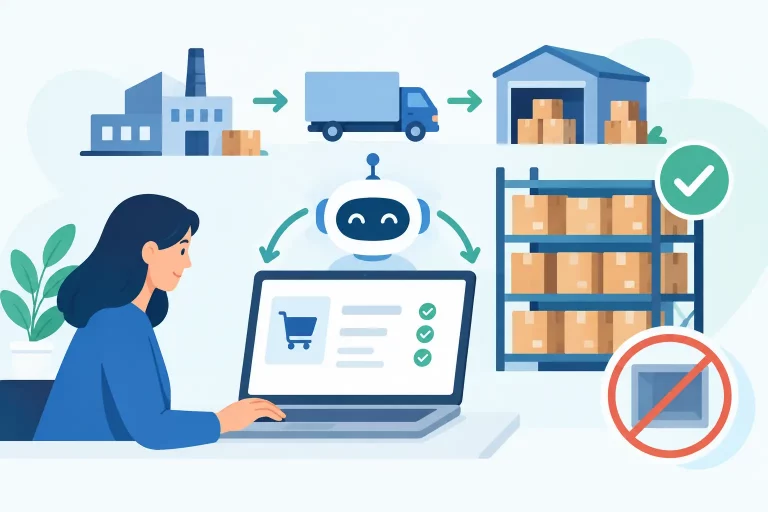
A buyer notices a fast-moving SKU is running low, checks sales in three channels, searches for the last supplier price, and creates a purchase order in a spreadsheet. By the time the order is approved, stock may already be oversold. This is exactly why operators need to know how to automate purchase orders: not to remove purchasing decisions, but to make replenishment faster, more accurate, and easier to control.

For multichannel sellers, purchasing automation connects real inventory movement to repeatable buying rules. It replaces scattered spreadsheets, email approvals, and memory-based reorder decisions with a workflow that identifies demand, recommends what to buy, and creates purchase orders with the right supplier and warehouse information.
What purchase order automation should do
Purchase order automation is more than generating a PDF or emailing a vendor. A useful system should monitor inventory against defined reorder points, account for products already on order, calculate suggested quantities, and create draft purchase orders for review or automatic release.
The best workflow also keeps purchasing connected to the rest of commerce operations. A purchase order changes expected inventory. Expected inventory affects available-to-sell decisions, warehouse receiving plans, marketplace listings, and customer promises. If those systems do not share data, a purchase order can still be created quickly while the business remains blind to what is actually coming in.
Automation works especially well for replenishable products with stable supplier relationships and predictable lead times. Seasonal items, promotional inventory, new launches, and volatile supply chains usually need more human review. The goal is controlled automation, not automatic buying at any cost.
Build clean purchasing data first
Automation will expose bad data faster than a manual process. Before setting reorder rules, make sure every purchased SKU has a clear supplier, purchase cost, lead time, pack size, and preferred receiving location. If a product can be sourced from multiple vendors, identify the default supplier and document when the alternate source should be used.
Inventory data matters just as much. Your available quantity, committed orders, damaged stock, stock in transfer, and open purchase orders should be visible in one place. A reorder calculation based only on current on-hand inventory can trigger unnecessary buying when 500 units are already due next week.
Product relationships also need attention. Variants, bundles, multipacks, and kits can distort demand signals. If a bundle sells through Shopify while its components sell separately on Amazon, purchasing must recognize that both sales channels consume the same underlying stock. Centralized catalog and inventory control prevents the system from treating related products as independent demand.
How to automate purchase orders with reorder rules
Start with rules that reflect how your business actually buys. The most common approach is a reorder point: when available inventory falls below a defined threshold, the system creates a purchase recommendation or draft PO.
A practical reorder point is based on expected demand during supplier lead time, plus safety stock. For example, if a SKU sells 10 units per day, takes 14 days to arrive, and needs 40 units of safety stock, its reorder point is 180 units. Once available stock drops below that number, purchasing should receive an alert or a draft order.
The equation is simple, but the inputs should be reviewed regularly:
- Average daily sales should reflect a relevant period, not a single exceptional week.
- Lead time should include supplier processing, transit, customs when applicable, and receiving time.
- Safety stock should be higher for unreliable vendors, high-margin products, and products with costly stockouts.
- Order quantity should respect minimum order quantities, case packs, pallet quantities, and storage capacity.
For fast-moving SKUs, a days-of-cover rule can be easier to manage. Instead of triggering at a fixed unit quantity, the system flags items with fewer than a target number of selling days remaining. This works well when demand changes by season or channel, provided sales data is current and channel inventory is synchronized.
Create an approval workflow that matches risk
Not every purchase order should follow the same approval path. A $500 replenishment order from a long-term domestic supplier does not carry the same risk as a $50,000 order with overseas freight and a 90-day lead time.
Set approval thresholds by order value, supplier, product category, or buyer. Low-risk recurring orders can be automatically generated and approved after a quick review. Higher-value or exception-based orders should require a purchasing manager or finance approver before they are sent.
This control protects cash flow as well as inventory levels. Automated reorder recommendations can be accurate while still arriving at the wrong time for your purchasing budget. Approval workflows give operations teams a chance to prioritize essential stock, delay slow-moving items, or consolidate orders to meet supplier minimums.


Your workflow should also flag exceptions rather than bury them. A purchase order deserves attention when supplier cost increases, lead time changes, projected stock exceeds a target level, or a vendor requires a quantity outside the usual range. Those are purchasing decisions, not data-entry tasks.
Connect suppliers, warehouses, and receiving
A purchase order only improves operations if the warehouse can receive it accurately. Each PO should include the supplier, ship-to warehouse, expected arrival date, item quantities, unit costs, and reference numbers needed by the receiving team.
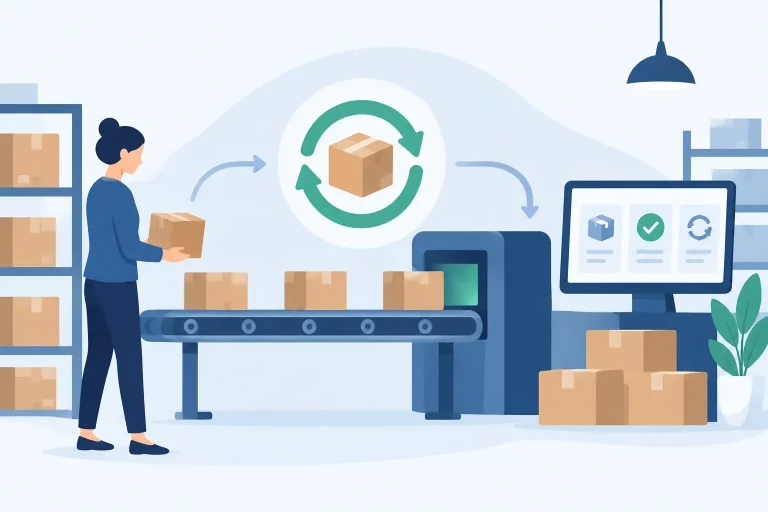
When goods arrive, warehouse staff should receive against the PO, record discrepancies, and update inventory in real time. Partial shipments, damaged cartons, and short deliveries are common. If the system marks the full PO as received regardless of what arrived, inventory accuracy breaks down and future reorder recommendations become less reliable.
For businesses with multiple warehouses, assign replenishment by location. A product can be overstocked in one warehouse and unavailable in another. Purchase automation should support location-level demand and receiving, then work alongside transfer workflows where moving existing stock is more economical than buying more.
Use forecasts carefully across sales channels
Historical sales are valuable, but they are not a forecast by themselves. Marketplace promotions, holiday demand, wholesale orders, stockouts, pricing changes, and new listings can all make a simple sales average misleading.
Use automated suggestions as a starting point, then layer in known demand changes. If a wholesale customer has a scheduled order next month, that demand should be included before the purchase order is created. If a product has been out of stock for two weeks, do not assume recent low sales represent true demand.
Channel-level visibility is essential here. A marketplace may be selling faster than your direct-to-consumer store, while a wholesale order is reserving inventory that has not shipped yet. A centralized operations platform can combine these signals so purchasing is based on total demand, not whichever channel was checked last.
Measure whether automation is improving purchasing
Once the workflow is running, monitor the results. The right metrics show whether your rules are protecting revenue or simply creating more inventory.
Track stockout rate, inventory days on hand, purchase order cycle time, supplier lead-time accuracy, receiving discrepancies, and the value of open purchase orders. Also review how often buyers change automated recommendations. Frequent overrides can reveal poor reorder points, inaccurate lead times, incomplete product data, or demand patterns that require a different rule.
A platform such as eSwap can centralize inventory, order, warehouse, and purchasing activity so replenishment decisions reflect what is selling across channels and what is already moving through your supply chain. The operational advantage is not just faster PO creation. It is having one source of truth behind every buying decision.
Start with a small group of high-volume, repeat-purchase SKUs. Validate the data, set conservative reorder rules, and compare recommendations against buyer judgment for several ordering cycles. Once the results are reliable, expand automation to more suppliers and categories. That approach gives your team more time to manage exceptions, negotiate better terms, and keep the products customers want available when they are ready to buy.