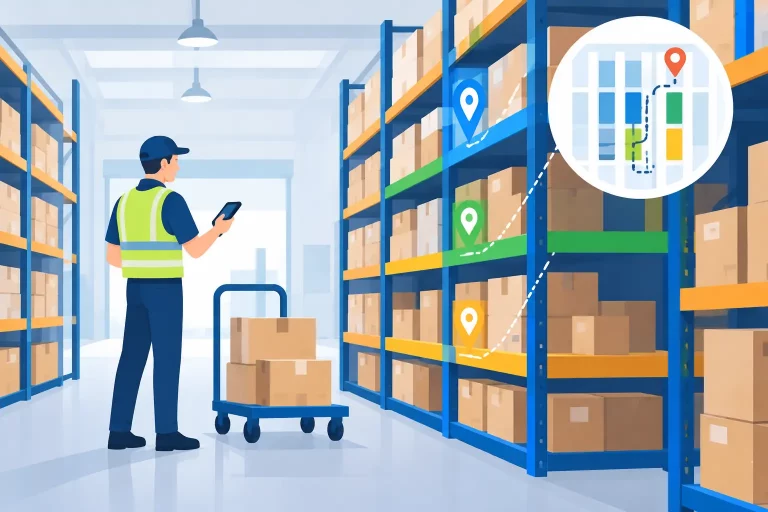
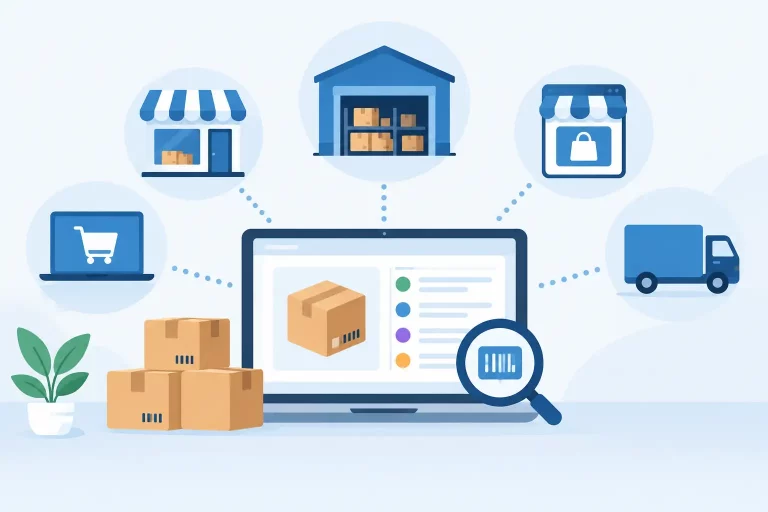
A warehouse implementation example becomes real when a seller can no longer explain why a product shows available online but cannot be found on the shelf. The problem is rarely one bad pick. It is usually a chain of disconnected processes: inventory updates arriving late, products stored without a location standard, orders printed from separate channels, and staff relying on memory to keep operations moving.

For a growing multichannel business, warehouse implementation is not simply setting up shelves or turning on new software. It is the work of creating a controlled operating model for inventory, orders, picking, packing, shipping, and replenishment. The goal is simple: every unit has a known status and location, every order follows a repeatable path, and every sales channel receives accurate stock information.
A Warehouse Implementation Example: From Manual to Controlled
Consider a retailer selling 4,500 SKUs through Shopify, Amazon, eBay, and wholesale accounts. It operates from one 12,000-square-foot warehouse with eight employees. Orders have increased from 80 to 350 per day, but the warehouse still runs on printed order sheets, shared spreadsheets, and separate carrier portals.
The business has predictable symptoms. Staff walk the warehouse repeatedly to pick individual orders. Similar products are mixed together. Inventory is adjusted after a problem is discovered rather than when it occurs. Amazon orders may be shipped on time, while direct-to-consumer orders wait because the team is managing exceptions manually. During peak periods, overselling becomes a customer service issue.
The implementation objective is not to replace every process at once. It is to build a dependable warehouse workflow that supports current volume and gives the business room to scale without hiring people simply to reconcile data.
Start With Operational Decisions, Not Software Settings
Warehouse technology can enforce a process, but it cannot create a sensible process from incomplete data. Before configuration begins, the operations team needs to make several decisions that affect every downstream workflow.
First, define inventory states. Stock should not be treated as one number. A usable model separates on-hand inventory from available inventory, allocated units, damaged units, inbound stock, and inventory held for quality checks. This distinction prevents the common mistake of selling goods that physically exist but are already committed to an order or cannot be shipped.
Next, establish a location hierarchy. In this example, the warehouse is divided into receiving, quarantine, bulk storage, forward pick bins, packing stations, returns, and outbound staging. Each physical location receives a unique barcode or identifier. A location such as A-03-02-04 should mean something clear to the team: zone A, aisle 3, bay 2, shelf 4.
The right level of detail depends on volume and product mix. A small operation with 100 fast-moving SKUs may not need bin-level tracking immediately. A seller carrying thousands of SKUs, multiple sizes, or high-value goods usually does. The trade-off is setup effort versus control. More location detail creates more scanning steps, but it sharply reduces search time and pick errors when order volume rises.
Clean Product Data Before Moving Inventory
The retailer begins with its catalog because warehouse accuracy depends on product accuracy. Each SKU is reviewed for a unique identifier, barcode, product name, variant attributes, dimensions, weight, and replenishment rules. Duplicate SKUs and unclear descriptions are corrected before inventory is imported.
This step matters most for businesses selling bundles, multipacks, and variants. A three-pack should not be managed as a separate mystery item if it consumes three units of a base SKU. The system needs clear component relationships so stock is reduced correctly across every channel.
The team also standardizes units of measure. Cases, cartons, and individual units are often confused during receiving and purchasing. If one supplier ships 24 units per case and another ships 12, the warehouse must know whether a purchase order, scan, or inventory adjustment refers to the case or the sellable unit.
After the catalog is cleaned, the team conducts a controlled physical count. Rather than importing an unreliable spreadsheet and correcting it later, they count inventory by location, investigate meaningful discrepancies, and load the verified quantity into the central system. This becomes the opening inventory baseline.
Build the Workflow Around the Product Journey
The most effective implementation maps the movement of a product from the moment it arrives until it leaves the building. For this retailer, the workflow has five connected stages: receiving, putaway, order allocation, picking and packing, then shipping confirmation.
Receiving and Putaway
Inbound purchase orders are created before goods arrive. When cartons reach the dock, staff compare received quantities against the purchase order, scan products where possible, and flag shortages, overages, or damaged goods immediately. Inventory does not become available for sale until it has passed the required receiving check.
The system then directs or records putaway into the correct location. Fast-moving products go to forward pick bins near packing stations, while reserve inventory goes into bulk storage. This simple separation prevents pickers from climbing into overstock areas to fulfill routine orders.
Order Allocation and Picking
Orders from each marketplace and storefront flow into one order queue. Inventory is allocated based on rules that reflect the business reality. For example, the retailer may reserve stock for wholesale orders with fixed delivery commitments, while releasing the remaining available quantity to online channels.

Instead of printing orders one at a time, the team groups work into pick waves. A wave may be organized by carrier cutoff, shipping service, warehouse zone, or order priority. Batch picking works well when many orders contain small, overlapping SKU sets. Single-order picking may be better for large, complex orders or products requiring special handling.
This is where scanning has its greatest practical value. The picker scans the location, scans the product, and confirms the quantity. The system catches a wrong-item pick before it reaches the customer, not after a return is opened.
Packing and Shipping
At the packing station, the order is verified, packed, weighed, and assigned the correct shipping service. Carrier rules can select services based on destination, package weight, promised delivery speed, or marketplace requirements. Labels are generated from the same operational system that holds the order and inventory data.
Once a label is created and the parcel is confirmed, shipment tracking is sent back to the sales channel. Inventory is updated centrally, reducing the risk that one marketplace continues selling stock already committed elsewhere.
Plan the Cutover Like a Controlled Launch
A warehouse implementation should not go live on the busiest day of the year. The retailer in this example schedules cutover after a cycle count and selects a lower-volume period. It stops nonessential inventory changes, confirms open orders, and documents which orders will be fulfilled in the old process versus the new one.
Training is role-specific. Receiving staff practice purchase order receipts and discrepancy handling. Pickers practice scans, substitutions, and short picks. Packers learn shipping rules and exception handling. Managers learn how to monitor queues, inventory adjustments, and unshipped orders.
A pilot zone is often safer than a full-warehouse launch. The retailer begins with its top 300 SKUs and one packing station for several days. This exposes issues in location labels, barcode quality, packing logic, and user permissions without putting the entire operation at risk.
During the first two weeks, the operations manager reviews exceptions daily. The focus is not on achieving perfection immediately. It is on identifying recurring failures: items consistently missing from pick bins, orders held for address problems, carrier rules selecting costly services, or products with poor barcode labels.
Measure Whether the Implementation Is Working
A successful warehouse project produces operational evidence, not just a completed configuration. The retailer tracks inventory accuracy through cycle counts, pick accuracy through scan exceptions and customer claims, and fulfillment speed through the time between order release and carrier acceptance.
It also watches orders shipped after cutoff, average picks per labor hour, replenishment frequency, and the value of inventory adjustments. These metrics show whether process changes are reducing manual work or simply moving it to another part of the warehouse.
The first improvement may be fewer urgent searches for missing stock. The next may be faster shipping during peak days. Over time, centralized data makes purchasing and replenishment decisions more reliable because sales, stock movement, and open orders are visible in one place.
Keep Improving After Go-Live
Warehouse implementation is not a one-time project. Product velocity changes, new marketplaces create different service requirements, and seasonal demand reshapes the best pick locations. Review slotting regularly so fast sellers stay accessible and slow-moving products do not consume prime space.
A platform such as eSwap can centralize the inventory, order, warehouse, shipping, purchasing, and multichannel workflows behind this model, giving teams one operational view instead of a collection of disconnected tools. The value comes from using that visibility to enforce daily discipline: receive accurately, store deliberately, allocate intelligently, and ship with confirmation.
The practical test is straightforward. When the next surge of orders arrives, the warehouse should not depend on heroic effort or tribal knowledge. It should give every team member a clear next action and give the business confidence that the inventory shown for sale is inventory it can actually fulfill.