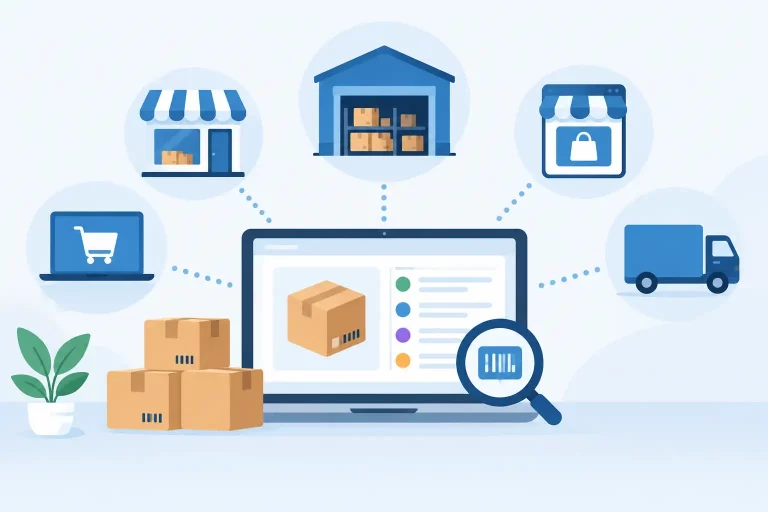
A store can show strong sales all month and still create a finance problem by month-end. Orders may be flowing through Shopify, Amazon, eBay, Walmart, and wholesale channels, while payment fees, refunds, shipping charges, and inventory costs sit in separate systems. Accounting integration for online stores closes that operational gap by turning transaction activity into financial records that can be reviewed and trusted.

For multichannel merchants, the objective is not simply to push sales totals into accounting software. The objective is to create a controlled flow of data from the order through fulfillment, inventory movement, payment settlement, and return. When those workflows are connected, operators spend less time reconciling spreadsheets and more time managing margin, cash flow, and growth.
What Accounting Integration for Online Stores Must Do
A useful integration should reflect how commerce actually works. An order is not the same as a bank deposit, and a marketplace payout is not the same as revenue. If a system posts only daily sales totals, it may save a few minutes of data entry while leaving the hardest reconciliation work for the finance team.
The right setup captures sales, discounts, taxes, shipping income, marketplace commissions, payment processing fees, refunds, and cost of goods sold in the correct accounts. It should also make it possible to trace a financial entry back to the originating order, channel, customer, or payout period when questions arise.
That level of visibility matters when a business sells across several channels. A single order may involve a marketplace fee, a carrier label, a partial refund, and inventory picked from a specific warehouse. Without connected operational data, those details are often handled manually after the fact. That introduces delays and creates errors that are difficult to identify once transaction volume increases.
Orders, payouts, and deposits are different events
One common source of confusion is treating every completed order as cash received. For direct-to-consumer sales, payment processors may hold funds before depositing them. For marketplaces, a payout can combine dozens or hundreds of orders, subtract fees, include tax adjustments, and account for refunds from a prior period.
A controlled accounting workflow records the sale when the order is recognized, then uses clearing accounts to reconcile the eventual payment or marketplace deposit. This approach gives finance teams a clear explanation for the difference between gross sales and net cash received. It also prevents deposits from being posted as new revenue, which can overstate income.
The exact timing depends on the business’s accounting method, fulfillment model, and financial policies. A merchant shipping its own orders may recognize activity at a different point than a business using marketplace fulfillment or selling wholesale on payment terms. The system should support the chosen process consistently rather than forcing every channel into one simplified rule.
Inventory accuracy protects financial accuracy
Inventory is often where ecommerce accounting integrations fail. If stock is adjusted in the warehouse system but not reflected in the inventory valuation process, cost of goods sold can become unreliable. The result is an attractive sales report that does not show the real margin.
Inventory movements need to be tied to operational events: receipts from purchase orders, transfers between warehouses, fulfilled orders, returns, write-offs, and adjustments. This is particularly important for merchants managing multiple warehouses or selling the same SKU across online stores, marketplaces, and B2B orders.
Accurate inventory data also reduces overselling. That is primarily an operations issue, but it carries a financial cost through canceled orders, expedited shipping, customer refunds, and lost margin. Centralized inventory control gives accounting data a more dependable foundation because product availability and stock movement are not being managed in disconnected channel dashboards.
Build the Integration Around Real Workflows
The best accounting configuration starts with a process map, not a list of software features. Operations, finance, and warehouse teams should agree on how an order moves from purchase to shipment, how exceptions are handled, and which system is responsible for each data point.
Start by defining the chart of accounts needed to separate meaningful activity. Most multichannel sellers need visibility into sales by channel or business unit, sales tax liability, shipping income, merchant fees, marketplace fees, refunds, inventory assets, cost of goods sold, and clearing accounts for payment providers and marketplaces. The structure does not need to be overly complex, but it must provide more detail than one generic sales account if channel profitability matters.
Next, establish a product and SKU standard. A product sold under different listings across channels should still map to the correct internal SKU, inventory record, and cost basis. Duplicate or inconsistent item records are a frequent cause of failed syncs and inaccurate reporting. Catalog discipline is not administrative cleanup – it is a financial control.
Then decide which records should move automatically and which require review. High-volume order data should usually flow automatically because manual entry cannot scale. Inventory adjustments, vendor bills, purchase receipts, and large refunds may need approval rules depending on the business. Automation is valuable when it removes repetitive work without hiding exceptions.


Handle fees and refunds at the transaction level
Fees are easy to underestimate when reviewing only deposits. A marketplace may deduct referral fees, fulfillment charges, storage fees, advertising costs, reimbursement adjustments, and other charges before releasing funds. Payment processors can apply fees per transaction, while shipping costs may vary by package, carrier, and service level.
The integration should preserve enough detail to separate these costs and reconcile them to settlement reports. Otherwise, teams may know their total sales but not understand why cash is lower than expected or which channel is compressing margin.
Returns deserve the same discipline. A return can involve a revenue reversal, refunded tax, payment fee treatment, return shipping, restocking, and inventory put-back or write-off. If the warehouse marks an item as returned but finance never sees the associated refund, both inventory and revenue can be wrong. Connected order, warehouse, and accounting workflows make those exceptions visible while they can still be corrected quickly.
Avoid the Common Integration Shortcuts
Exporting a monthly CSV file may work for a low-volume store with one channel and a small catalog. It becomes risky when sales, warehouses, and fulfillment activity expand. By the time someone finds a discrepancy, the original order data may be buried under thousands of transactions.
Posting net deposits directly to sales is another shortcut that creates reporting problems. It hides fees and makes it harder to reconcile revenue to channel performance. Using a generic inventory adjustment account for every stock change has a similar effect: it obscures whether the movement came from fulfillment, damage, a return, or a receiving error.
Duplicated integrations can be just as damaging as missing ones. If a storefront sends orders to both an operations platform and accounting software independently, the same sale may post twice. Every integration needs a clear source of truth, defined sync rules, and a process for resolving failures before they become month-end surprises.
Choose an Operations Layer That Supports Finance
Accounting software is designed to maintain financial records. It is not usually built to manage multichannel listings, warehouse picks, shipping labels, purchase orders, and real-time stock allocation. Trying to run all of those processes inside finance tools creates workarounds that break as order volume grows.
A commerce operations platform can serve as the control layer between sales channels and accounting. It centralizes orders, inventory, catalogs, fulfillment, purchasing, and shipping activity, then provides structured data for the accounting workflow. For businesses operating across marketplaces, online stores, wholesale accounts, and multiple warehouses, this reduces the number of disconnected handoffs.
eSwap supports this operating model by bringing multichannel commerce activity into one system, helping teams maintain accurate stock, process orders faster, and keep fulfillment events connected to the records finance needs. The value is not an isolated sync. It is a more reliable operating process from product receipt through shipment and settlement.
Measure Whether the Integration Is Working
A successful integration should reduce close time and make exceptions easier to find. Finance should be able to reconcile marketplace and processor payouts without rebuilding transaction detail in a spreadsheet. Operations should be able to investigate a refund, inventory adjustment, or missing shipment from the same order history used to fulfill it.
Review a small set of controls every month: unreconciled clearing-account balances, failed syncs, negative inventory, unexpected manual journal entries, and differences between warehouse stock and financial inventory value. These checks reveal whether the process is still working as transaction volume and channel complexity change.
The practical test is simple: when a payout is short, a SKU goes out of stock, or a customer receives a partial refund, can your team explain the financial impact without searching across five systems? Build your accounting integration around that question, and the business will have cleaner books, faster answers, and a stronger foundation for its next stage of growth.