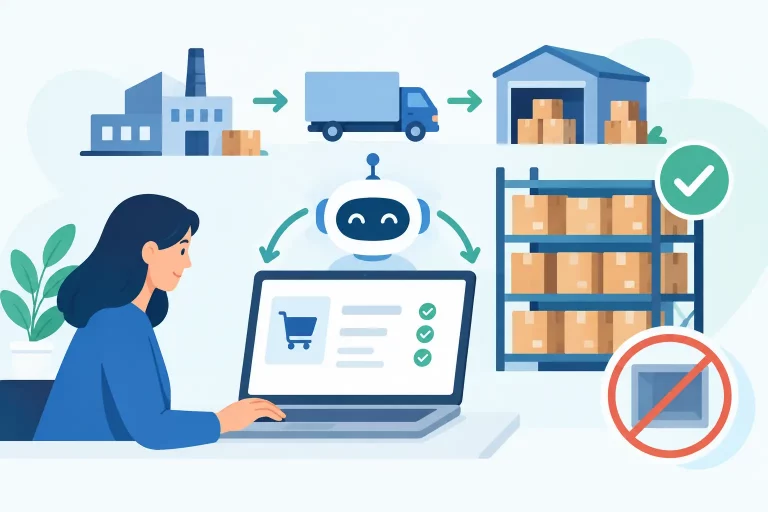
A product selling at the same time on Shopify, Amazon, eBay, and a wholesale portal can create four different operational problems from one customer purchase. Stock must update, the order must reach the right warehouse, a shipping label must be created, and the buyer must receive accurate tracking. When those steps depend on spreadsheets, inboxes, and manual exports, growth quickly turns into operational risk. Workflow automation for ecommerce business gives teams a controlled way to move routine work through those steps without relying on constant manual intervention.

The goal is not to automate every decision. It is to automate predictable, repeatable actions while keeping exceptions visible for the people who need to resolve them. Done well, automation reduces overselling, shortens fulfillment time, and gives operators a more reliable view of what is happening across every channel.
Where Ecommerce Operations Lose Time
Manual work rarely appears as one large problem. It accumulates in small tasks: checking whether stock is available, copying orders between systems, selecting a carrier service, printing labels, updating marketplace statuses, and notifying purchasing when inventory falls below a safe level. Each task may take only minutes. Across hundreds or thousands of orders, those minutes become delayed fulfillment, missed handoffs, and expensive errors.
Multichannel sellers face a second issue: every platform has its own data structure and timing. A marketplace order may arrive before a storefront inventory update is complete. One warehouse may hold sellable stock while another holds damaged or reserved units. Without a central operational system, teams are forced to reconcile conflicting numbers rather than manage the business.
Automation matters because it turns business rules into repeatable processes. Instead of asking an employee to remember what happens next, the system applies the rule consistently and records the result.
The Core Workflows Worth Automating First
The best starting point is not the most advanced automation available. Start with workflows that are high volume, rule-based, and likely to create customer-facing problems when they fail. For most ecommerce businesses, inventory, orders, fulfillment, and replenishment are the first priorities.
Inventory synchronization across channels
Inventory accuracy is the foundation of multichannel selling. When a unit sells on one channel, available stock should update across every other selling channel quickly enough to prevent duplicate sales. Automation can also account for inventory allocated to open orders, inbound purchase orders, warehouse transfers, and safety-stock rules.
The right setup depends on the catalog. Businesses with unique products may need simple quantity synchronization. Merchants selling bundles, kits, or products with variants need more detailed rules so component inventory is reduced correctly. Wholesale operations may also need to reserve stock for priority accounts rather than expose every available unit to retail marketplaces.
A useful workflow does more than push counts outward. It creates a dependable inventory record internally, identifies the source of truth, and flags exceptions such as negative stock or inactive listings. Automation without a trusted inventory model can simply spread bad data faster.
Order routing and exception handling
Once an order enters the business, it should not need to be copied from channel to channel. Automated order import centralizes orders from marketplaces, online stores, and B2B sales channels so the fulfillment team works from one queue.
Routing rules can then determine where an order should go. An order may be assigned based on available inventory, customer location, warehouse capacity, shipping promise, product type, or a specific fulfillment partner. For example, a merchant may route West Coast orders to a California warehouse when stock is available there, while oversized items go to a location equipped to handle them.
Not every order should move forward automatically. High-value orders, address issues, fraud review requirements, backorders, and split-shipment scenarios deserve an exception queue. Good automation separates normal order flow from orders that require judgment. That prevents a small number of complicated orders from slowing down the rest of the operation.
Shipping decisions and fulfillment updates
Shipping is a common source of unnecessary manual work. Teams often compare carrier services, enter addresses, print labels, and update tracking numbers in separate systems. Automating these steps can help fulfillment teams process more orders without sacrificing service quality.
Shipping rules may select a carrier and service based on package weight, dimensions, destination zone, delivery deadline, order value, or shipping method chosen by the customer. A rule might send lightweight domestic parcels through an economical ground service, while orders with a two-day promise are assigned to an eligible expedited option.
The trade-off is clear: aggressive cost-saving rules can hurt delivery speed, while overly broad expedited rules can erode margin. Review shipping performance regularly and adjust the rules using actual carrier costs, delivery results, and customer expectations. After shipment, tracking and order status updates should flow back to the original sales channel automatically, reducing customer support inquiries and marketplace compliance risk.
Replenishment and purchasing triggers
Inventory automation should support purchasing, not just order management. When stock reaches a reorder point, the system can alert the purchasing team or prepare a purchase order based on lead times, sales velocity, supplier minimums, and existing inbound inventory.


A basic low-stock alert is useful, but it is not enough for fast-moving catalogs. Replenishment rules should distinguish between a product that is temporarily low and one that is likely to stock out before the next supplier delivery. Seasonal demand, promotions, and marketplace spikes make this more complex, so purchasing automation should prompt review rather than blindly place every order.
For businesses managing multiple warehouses, transfer recommendations can also prevent unnecessary purchases. Moving available stock from one location may be faster and less costly than waiting for a supplier shipment.
How to Build Workflow Automation for Ecommerce Business
Effective automation starts with process clarity. Before configuring rules, document what happens from the moment an order is placed until inventory is replenished. Identify the systems involved, the team responsible at each stage, the data required, and the exceptions that interrupt normal flow.
Next, establish a clear source of truth for products, inventory, orders, and shipping data. If a storefront, spreadsheet, warehouse tool, and marketplace each claim to hold the correct stock level, automation will be unreliable. Centralized commerce operations software gives teams one operational record and connects it to the channels where orders and inventory changes occur.
Then configure automation in stages. Begin with one workflow, test it against real orders, and measure its effect before expanding. A sensible sequence is inventory synchronization first, followed by order import and routing, shipping rules, and replenishment triggers. This approach exposes data issues early and makes it easier for warehouse and customer service teams to adopt new processes.
Use clear ownership as well. Operations may own order-routing rules, warehouse leaders may own pick and pack exceptions, and purchasing may own reorder thresholds. Automation is not set-and-forget infrastructure. Rules should have an accountable owner and a regular review schedule.
Measure the Results That Affect Growth
The value of automation should be visible in operational metrics, not just in the number of rules configured. Track order processing time, order accuracy, cancellation rate, oversell incidents, late shipment rate, inventory variance, and cost per order fulfilled. These measurements show whether the workflow is improving control or merely moving work elsewhere.
Pay attention to exception volume. A growing exception queue can indicate a data issue, a poorly designed rule, or a business process that has changed without an updated workflow. For example, a surge in address exceptions may point to marketplace data quality, while repeated inventory holds may reveal incorrect warehouse receiving practices.
Teams should also measure capacity. If the same fulfillment staff can process more orders with fewer manual touches, automation is creating practical value. That capacity can support channel expansion and sales growth without requiring headcount to rise at the same rate.
Avoid Automation That Creates New Problems
Automation is most useful when it is precise. Broad rules that apply to every product, warehouse, or sales channel can cause costly mistakes. A rule suitable for standard domestic parcels may not work for hazmat items, preorder products, subscription orders, or wholesale shipments with customer-specific terms.
Keep business rules understandable. If an operator cannot explain why an order was routed, held, or shipped with a particular service, troubleshooting becomes slow. Use readable rule names, retain activity history, and provide a way to override decisions when a legitimate exception appears.
Integration quality matters too. A disconnected collection of point tools may automate individual tasks but still leave teams reconciling data between systems. Platforms such as eSwap centralize inventory, orders, warehouse activity, shipping, purchasing, and B2B workflows so automation can operate from the same operational data rather than from fragmented records.
The strongest next step is to choose one workflow that causes daily friction – usually inventory updates or order routing – and make its current process measurable. Once the team can see every handoff, delay, and exception, the right automation rule becomes much easier to define.