
A shopper places the last unit of a best-selling SKU on Amazon. Two minutes later, the same item sells on Shopify. If your systems are not connected, you now have a customer service problem, a fulfillment delay, and a preventable hit to margin.

That is why so many growing merchants ask how to sync inventory across channels without adding more spreadsheets, more manual checks, or more staff. The real goal is not just to update stock counts. It is to create one operational view of inventory so every marketplace, storefront, warehouse, and team is working from the same numbers in real time.
Why inventory sync breaks as you add channels
Single-channel selling is simple enough to manage with basic tools. Multichannel selling is different. Once you list the same products on Amazon, eBay, Shopify, Walmart, and wholesale portals, inventory accuracy becomes an operations issue, not just a catalog issue.
The problem usually starts with disconnected systems. Each channel tracks sales activity separately. Warehouse teams may update stock in one system while purchasing tracks incoming units somewhere else. Returns, bundles, kits, and reserved stock add another layer of complexity. What looks like a simple quantity on hand can quickly become several different numbers depending on where you look.
That is where overselling happens. So do stockouts that are not real, delayed listings, and orders held up because the available quantity was wrong. As order volume rises, manual updates become too slow to keep pace.
How to sync inventory across channels the right way
The most reliable approach is to set up a central inventory system as the source of truth. Instead of updating stock inside each marketplace or storefront independently, you manage inventory in one platform that pushes quantity changes everywhere else.
When an order comes in from any channel, that central system reduces available stock and sends the updated quantity to the rest of your connected sales channels. The same logic applies when inventory is received, transferred, adjusted, returned, or reserved for wholesale or open orders. One change should flow across the operation automatically.
This model matters because multichannel inventory is not only about sales. It also depends on warehouse movements, purchase orders, shipping status, listing structure, and the way products are mapped across channels. If those workflows live in separate tools, sync issues tend to reappear.
Start with one inventory source of truth
If you want to know how to sync inventory across channels without constant reconciliation work, start by deciding which system owns inventory. That system should hold your master product records, stock quantities, warehouse locations, and allocation logic.
This is where many businesses get stuck. They try to make a marketplace, shopping cart, or accounting platform serve as the inventory authority. Those tools may be useful in their own areas, but they are not built to manage real-time stock changes across multiple channels and warehouses at scale.
A dedicated operations platform works better because inventory sync depends on more than listing products. You need accurate SKU mapping, warehouse visibility, order routing, purchasing updates, and clear rules for what counts as available stock. If those pieces are spread across different systems, inventory drift is almost guaranteed.
Clean up your catalog before you automate
Automation only works if the product data behind it is clean. Before turning on sync across channels, review your SKU structure carefully. Each sellable item should have a consistent identifier across platforms. Variants, bundles, kits, and multipacks need special attention because they often create hidden inventory mismatches.
For example, if a bundle sells on one channel but its component SKUs are tracked separately in the warehouse, your system needs to decrement those components correctly. If not, the bundle may appear available long after the underlying stock is gone.
The same applies to duplicate listings and inconsistent naming conventions. Inventory sync should run on SKU-level logic, not product titles. If your catalog is messy, sync problems will not be technical. They will be structural.
Connect every sales channel and warehouse movement
Many businesses think inventory sync starts and ends with storefront integrations. In practice, that is only part of the job. A good sync setup connects the full operational chain: sales channels, warehouses, shipping workflows, purchasing, returns, and any wholesale order flow that reserves stock.
This matters because stock levels change for reasons beyond completed sales. Receiving inventory from suppliers, moving stock between warehouses, canceling orders, processing returns, and creating wholesale allocations all affect what should be available online. If those actions happen outside the sync system, your channel quantities will lag behind reality.
That is why operations teams usually get better results with software that combines inventory, order management, warehouse workflows, and channel integrations in one place. It reduces handoffs between systems and keeps quantity updates tied to the actual movement of goods.
Set rules for available stock, not just on-hand stock
One of the most common mistakes in multichannel commerce is publishing raw on-hand inventory to every channel. That number is often misleading. Some units may already be committed to unshipped orders, reserved for B2B customers, damaged, in transit between warehouses, or held as safety stock.
What matters online is available inventory. Your sync setup should account for these operational realities and publish a number that protects fulfillment performance.
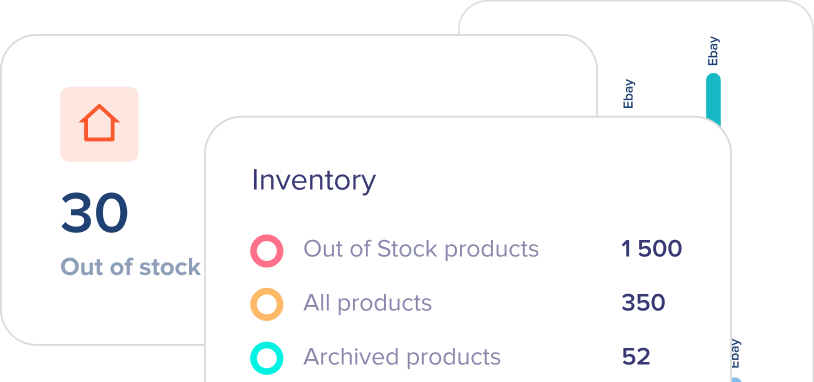
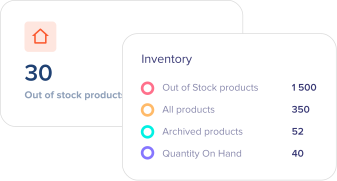
This is where rule-based inventory control becomes valuable. You may want to keep a stock buffer on fast-moving SKUs, expose different quantities by channel, or prioritize one sales source over another. A high-margin DTC channel may deserve different allocation logic than a marketplace where fees are higher and customer communication is more limited.
There is no single rule set that fits every merchant. The right setup depends on demand volatility, supplier lead times, warehouse capacity, and channel strategy.
Use real-time updates where speed matters most
Not every business needs millisecond-level synchronization, but most multichannel sellers need inventory updates fast enough to prevent double-selling. If your top SKUs move quickly, batch updates every few hours are not enough.
Real-time or near-real-time sync is especially important during promotions, seasonal peaks, and marketplace events. Those are the moments when disconnected inventory causes the most damage. One delayed update can create a chain reaction of backorders, cancellation requests, and marketplace performance issues.
That said, speed is not the only factor. Reliability matters just as much. A slower sync that runs consistently is better than a real-time process that fails silently. Your platform should make sync status visible so your team can spot exceptions before they turn into customer-facing problems.
Watch for edge cases that break inventory accuracy
Even strong systems can struggle if edge cases are ignored. The biggest trouble spots are usually bundles, preorders, returns, canceled orders, partial shipments, and multi-warehouse routing. These are not rare exceptions for growing businesses. They are normal parts of modern commerce operations.
If you sell from more than one warehouse, inventory sync also needs location logic. You may want all channels to draw from pooled stock, or you may want to restrict specific listings to certain facilities. That decision affects availability, shipping speed, and replenishment planning.
Wholesale adds another layer. Large orders often reserve inventory before fulfillment begins, which means available stock can change well before goods leave the building. If your system does not account for those commitments, retail channels may keep selling inventory that is already spoken for.
What good inventory sync should deliver
When inventory is synced properly, the benefits show up across the business. Overselling drops. Fulfillment teams spend less time chasing stock issues. Customer service handles fewer apology emails. Purchasing gets a clearer picture of real demand. Leaders gain confidence that growth will not create more operational instability.
You should also see faster listing management and better decision-making. When stock, orders, warehouse activity, and channel data are connected, teams can act sooner. They can replenish earlier, pause slow-moving listings, and shift inventory between channels or warehouses before problems build.
For merchants scaling across marketplaces, DTC, and wholesale, this is not a nice-to-have process improvement. It is core infrastructure.
Choosing software to sync inventory across channels
If you are evaluating tools, look beyond basic channel connections. The real question is whether the system can support the way your operation actually runs.
That means checking how it handles SKU mapping, real-time quantity updates, bundles, purchase orders, warehouse transfers, returns, shipping workflows, and multi-warehouse visibility. You also want strong exception handling, because no sync process is perfect all the time. Teams need to know when something fails and how to fix it quickly.
This is where a platform like eSwap fits best for growing sellers. It centralizes inventory, orders, shipping, warehouses, catalog management, purchasing, and wholesale workflows in one environment, so sync is tied to real operations rather than isolated channel updates.
If your current setup still depends on manual exports, disconnected apps, or channel-by-channel stock edits, you do not have an inventory sync strategy. You have a short-term workaround.
The businesses that scale cleanly are usually the ones that treat inventory accuracy as a system design decision early, before order volume forces the issue. Get the foundation right, and every new channel becomes easier to add without creating more noise behind the scenes.
The best time to fix inventory sync is before the next stockout, not after it.